The website you are currently on is created entirely by AI
A look at the current state of LLM usage for software development
Sean Deloddere
12 min read·
Artificial Intelligence will revolutionize the way we work. To me that is obvious. However; how quickly that will happen, and exactly to what extent, is up for debate. From people claiming that junior developers will become obsolete in the next 5 years, to others saying AI lacks a fundamental understanding of logic which will always prevent it from being effective at writing code, I have heard just about every opinion on the spectrum in the past couple months.
While it is impossible for me to predict how the situation will look in 5-10 years, I am able to get an accurate view of what it is today. I have been using LLMs (Large Language Models) for coding on and off, and while they are already exceptional at some things, they still very much struggle at others. Some examples of software development LLMs excel at are generating unit tests, or synthetic data, really quickly. Some examples where they struggle are more niche tasks like writing memory efficient PySpark code.
I believe AI has the potential to 'democratise' rudimentary software development, i.e., allowing a person without software development experience to perform tasks like basic data analysis or creating a simple website, lowering the bar to interacting with software development for people entirely outside the field. And that is where the true impact lies.
In order to test this belief, and get a clearer understanding of the current state of applying AI to software development, I set out to answer the following two questions:
How effective is AI at helping a person with no relevant experience achieve success in a software development project?
What is the state of current LLMs applied to software development, do they function more like a tool or an assistant?
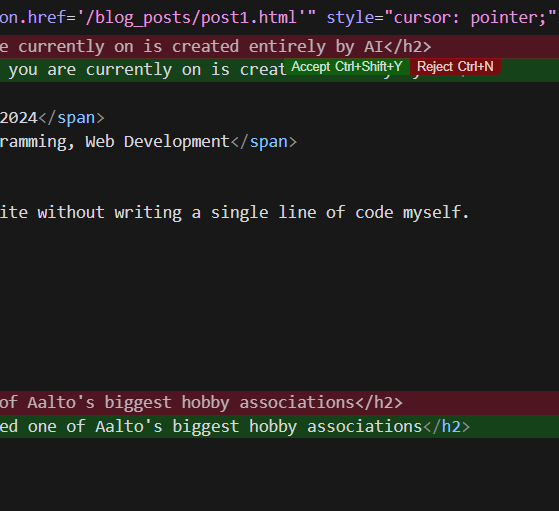
And in order to answer these questions, I decided to attempt to create a website without writing a single line of code myself.
Why web development?
The first reason I chose creating a website as the goal was that it is an extremely common and widespread reason to write code. Companies or people that have nothing to do with software often still want to have a website. That goes for small start ups, freelance consultants, or the local electrician or bakery. Testing how far the average person with no experience can get in this scenario, felt particularly relevant.
Now you might be thinking: "Hold on. You say the average person with no experience, but you are an engineer with years of experience in the field. How does that reflect the situation of an average person?", and to some degree, you are correct.
That brings me to the second reason I chose creating a website: I have never done any kind of web development whatsoever. That made it a prime subject for testing how AI can democratize software development. If I had chosen data analysis for example, which meets some of the other criteria, it would have been much harder to not bias the experiment through my own experience. Later on, I will be explaining some additional ways that I tried to account for my personal experience as a developer.
Lastly, the third reason is that I would end up with my own personal website. Pretty neat.
Methodology
While I don't have any web development experience, I do realise that there is a certain carry over in the skills and knowledge that is necessary to create websites and what I do for a living. In order to mitigate that, I will interact as little as possible with the code directly. A big aspect is that I will not write a character of code myself, everything has to be AI generated. Whether it is the lay-out of a page, or the width of an image to the pixel; I will not manually change it. But that is not the only aspect. I will also not feed specifically selected parts of the code to the model, as that would require an understanding of the underlying function of the code. Instead, I will always feed the code in its entirety to the model. I am acting as if I am completely oblivious to what is going on under the hood. The aim is not for me to understand the code or become a better programmer, it is purely to see how far I (and AI) can push the end result.
I followed two distinct approaches over the course of this project:
Approach 1: "Chat GPT, please create a website for me"
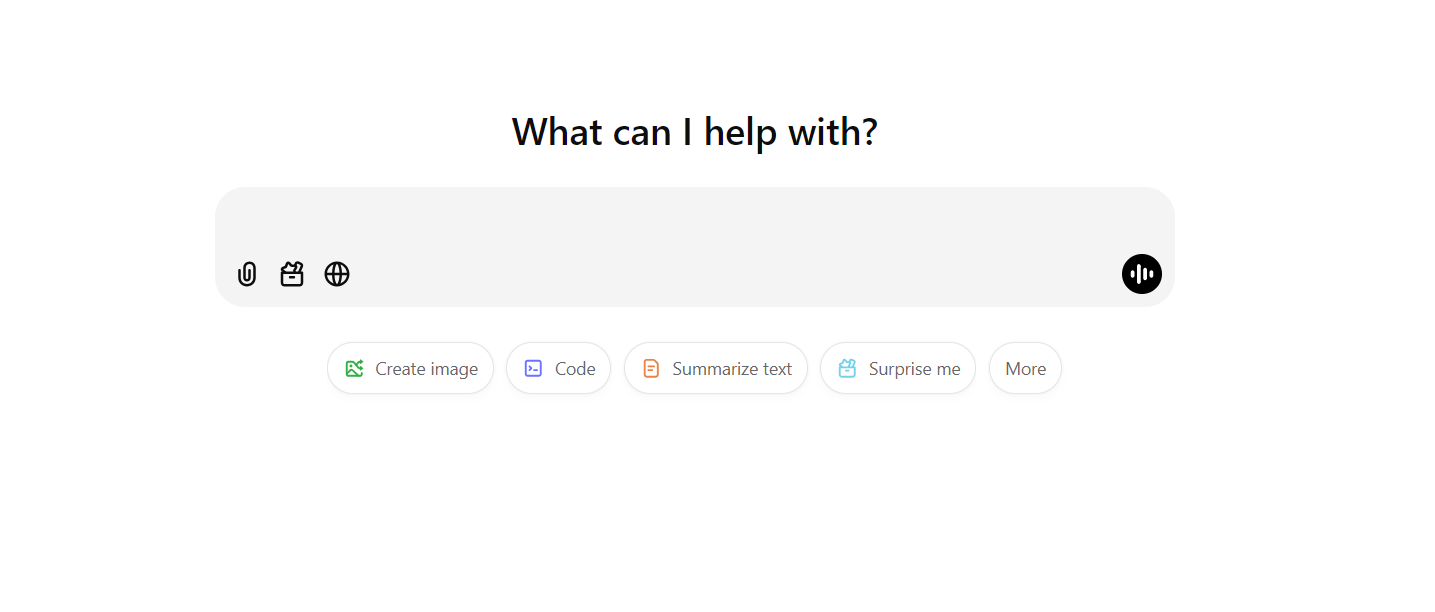
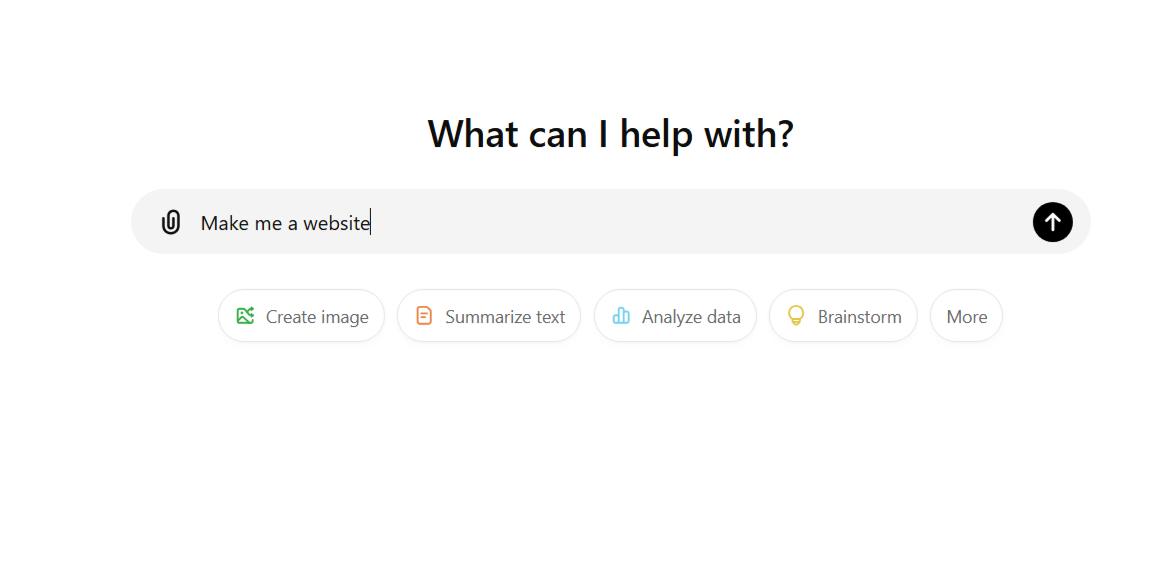
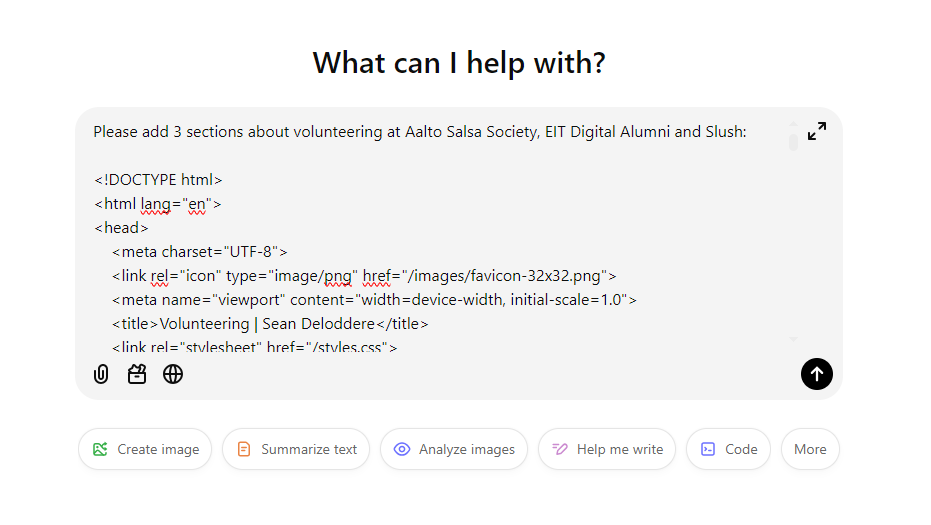
The first approach, was the most simple, naive way one could use AI for programming: Through a chat interface in the browser (e.g. Chatgpt), I asked an LLM to create an initial basic version of the files I needed for my website. Then, I copied the entire content of the files into the chat, asked for specific changes, and copied the entire result back. I would then look at the result on the website and determine the next step. I chose this method as it is the most common way to interact with LLMs, especially for less experienced people, and it doesn't require any additional knowledge or setup.
Approach 2: Taking it to the next level with Cursor AI
The second approach was a much more efficient, fast and user friendly experience: using Cursor AI. Cursor is an IDE (Interactive Development Environment) with AI built into it from the start. It is a fork of Visual Studio Code. It has a couple features that are incredible for developers:
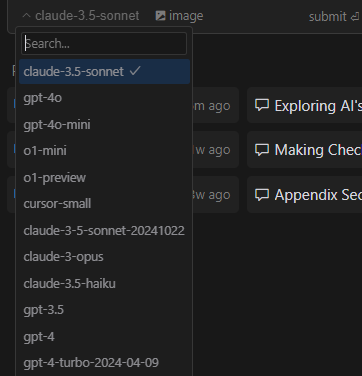
Multiple LLM Support
It allows the user to converse with many different LLMs, so you can pick the right one for the right task, and use the best models regardless of the provider.
Approve or Reject Individual Changes
You can apply suggested edits or additions directly in your code, and choose to accept or reject them. This is very helpful, as sometimes an LLM ends up changing small things in areas you weren't focussing on and it ends up messing with your code. By approving or rejecting line by line, you are in control every step along the way.
Codebase Context Awareness
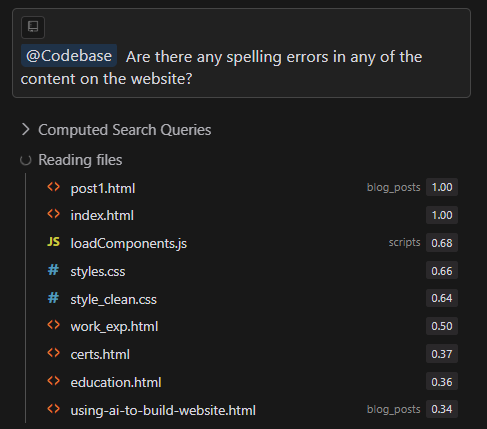
It can seamlessly keep the whole code base in context. This one is huge! As your project starts getting bigger and bigger with more and more files, an LLM through a chat interface might lose track of the larger picture if you don't constantly feed it all the information. But copying over all the files is at best extremely tedious, and at worst impossible.
While all of these features are amazing, I only utilised the third one in order to stick to my principle of acting as an inexperienced person. As someone with no experience with AI or web development, I wouldn't know what the best model is, or what suggestions to approve or reject. So I opted to use the default model (claude-3.5-sonnet) and always accept every change. As a side note, Cursor AI has a price tag of 20€ per month, but I easily fit the development of the website into the free trial period (2 weeks).
Creating the Website
I started by explaining to ChatGPT what I wanted to do. My goal was to create my own personal website, host it myself, and write all the code "myself". With this I meant not using a template, but doing everything from scratch. I was presented with a few options, and chose to create and host my website using GitHub pages. ChatGPT walked me through all the steps, and within 15 minutes my website, completely blank for now, was up and running.
My next step was to create the skeleton for the website. I asked ChatGPT to create dummy pages for me, such as a home page, a work experience page, a volunteering page, etc. Of course I quickly realised that there were many ways to do this, and I hadn't specified any to ChatGPT. It would pick whatever programming language it thought I was most likely to use and generate the pages for me. At that point I made the decision I wanted to make the website as general as possible and not too influenced by what is popular at this exact moment in time. This meant no frameworks, just HTML, CSS, and JavaScript. I explained to ChatGPT that this is what I wanted and I made some further requests such as adding a navigation bar up top to navigate the website, a footer with contact information, some content placeholders, etc. It generated all I asked for in a moment. Around 2 hours after asking my first question, I had a full skeleton of a website that I could go ahead and start adding content to.
So that is exactly what I did. I started writing content and adding images here and there. At first, I would describe exactly how I wanted the page to look. Where the images should go, how big they should be, the font sizes, the colors, everything. While that approach was effective in achieving what I wanted, I soon realised I could actually let the LLM take care of that part for me as well. Rather than describing a page in detail, I would just tell it the content I wanted on the page, explain what the page is for, and ask it to add the content in a nice design appropriate for the goal of the page. I can not understate how incredibly effective it was at this. Not only did it save me huge amounts of time, it also came up with some designs that were better than what I could have come up with. And if there did happen to be something I did not particularly like, I would just ask it to change it. That goes for simple, specific changes, such as making an image a little smaller and moving it to the side, but also for bigger, more conceptual changes. At some point I asked it to make the page 'more interesting to look at', and it came up with a wonderful colorization that fit my theme perfectly, a more interactive design and nice effects. Soon enough, the result started to look like a real website.
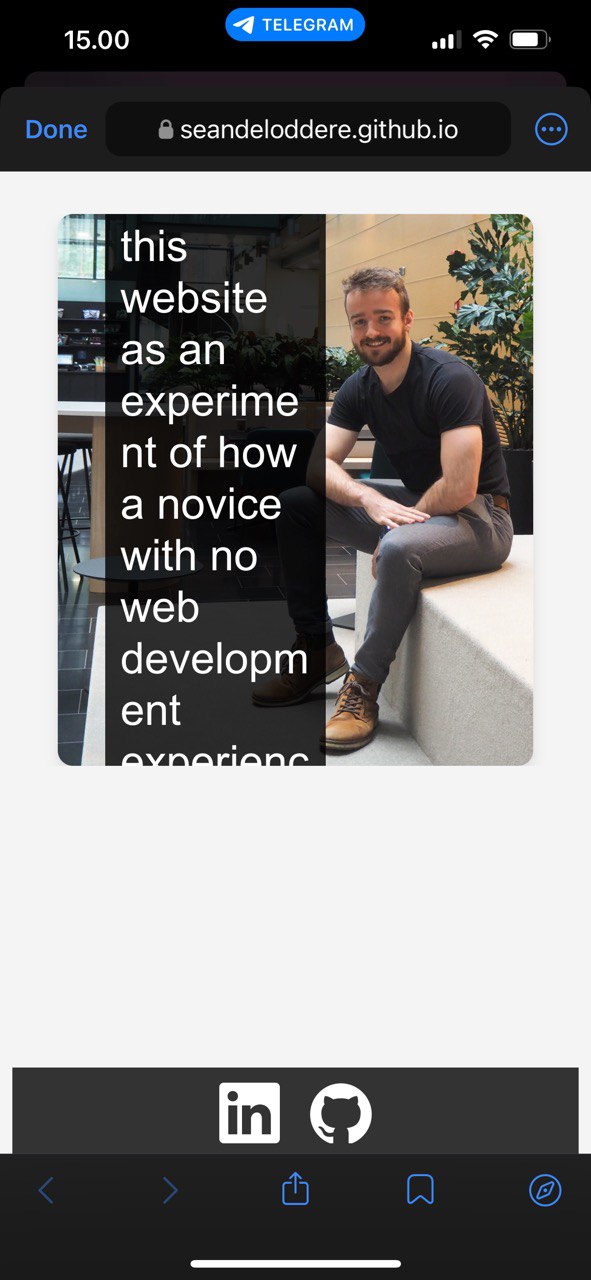
One thing I completely overlooked, which demonstrates how much of a novice I am at web development, was that while the website looked nice on my own laptop screen, that did not mean it would look nice on all screens. This was made obvious when I wanted to share the website with a friend and ended up opening it on my phone. The text didn't fit on the screen, images were entirely out of proportion, the navigation bar was impossible to operate. Naturally, I turned to AI for help. And once again, it proved its effectiveness. Remarkably, my initial prompt 'Please adapt the code so it looks good on smaller screens as well' already got me 80% of the way there, and the website already looked much better. Then, I had to start diving a bit deeper and addressing specific issues separately. I would point out to the AI that on mobile certain text was still going off the screen or an image still looked off. After pointing out issues directly, the AI was typically able to resolve them in 1 or 2 iterations.
Initial mobile view showing layout issues
Too good to be true?
While overall I was very impressed by the ease and speed of developing the website using AI, there were definitely a few difficulties:
While the AI was exceptional at being reactive, i.e., presenting solutions to the issues I brought to it directly, it was not proactive. As a novice, your biggest problem is often not that you don't know the answers to your questions, it is that you don't know the right questions to ask. Oftentimes it would be much further into the project when I would realise I had been missing a key concept or technique, that a system which really understood what I was trying to do would have pointed out to me immediately. An example of this is that at the start of the project, I would commit and push my code to GitHub every time I wanted to see the changes in my website. This would mean waiting about 30 seconds to see my changes take effect. Of course a much better way to do this is to open the website locally (using something like the Live Server extension from visual studio code), so you can see changes immediately. This is something that even a junior web developer would tell you to do right away, but the LLM failed to mention.
Another problem was that the LLM was too obedient. Now, I understand that having an AI disagree to do something you ask of it can be frustrating, but a good assistant knows when to push back. Too often I had an idea that was bad from the beginning, and the LLM would happily indulge my wishes, only leading me to problems later on. When ideally, what it should have done is tell me that what I'm trying to do is not ideal, and I should try another approach instead.
The most frustrating perhaps, would be when conversations would get stuck in a loop. I would bring an issue to the AI, and it would suggest a solution. The solution would either not work, or create a different problem, which I would point out. After continuing this process for anywhere from 1 to 5 times, the AI would loop back to suggesting its original solution, with the same problem I was trying to fix in the first place. While this could be difficult to deal with, it was often resolved by doing a better job at prompting, and explaining more precisely what the desired outcome is and why certain approaches won't work.
The Unknown Unknowns
I had created my website, and started to evaluate the result. But how could I know if my website was actually good? Similarly to how I thought my website looked great until I opened it on my phone, there could be many factors I was completely overlooking. These are the so called 'unknown unknowns', and are incredibly important to the success of any undertaking.
Blessed with a network of competent developers, I decided to reach out to two of my friends experienced in the area of web development, to see if they could provide me with feedback. Guido Bordonaro, a web developer, and Ignacio Aristondo, a UX designer at Nokia, kindly offered me their expertise.
In an attempt to satisfy my request to make the website more interesting, AI had added a little too many effects. A prime example of that was adding a hover effect to a lot of entities that are not clickable. While I didn't think any more of it than 'looks cool', my friends pointed out that the hover effect gave the impression that the entity was clickable, which was misleading to the user. Another issue I entirely overlooked, was that on some pages the text columns were far too wide. This meant that reading the text required the reader to actually move their head rather than just their eyes, making it an uncomfortable experience. I realised I should stick to a maximum width to increase the readability of the text.
These are just a few highlights of the feedback that demonstrate the importance of having more experienced individuals check your work. The full list is below in the appendix. Thank you to Guido and Ignacio for their help.
AI: Just another tool or your trusty assistant?
Having explored my first question, how effective AI is at helping an inexperienced person successfully complete a software project, I want to delve a little deeper and attempt to answer my second question. Do current LLMs function more like tools or assistants?
You might be asking, why is this distinction important in the first place? 'Tool, assistant, who cares? It's just a label.' While I agree the exact term is not important, what is important is a correct understanding of the actual capabilities of LLMs, and more importantly, their limitations. Companies love advertising their LLMs as assistants. Microsoft packages their LLMs as a 'Copilot', Anthropic's LLM has an anthropomorphised name like 'Claude', and the interfaces are designed to make you feel like you are interacting with a real person. On the other hand, when asked questions about AI replacing jobs, leaders in the space often talk about AI as if it is just another tool in humanity's toolbelt, similar to the machines of the industrial revolution. In order for us to assign the right tasks and grant the correct level of responsibility to AI, we need to know where on the spectrum it lies.
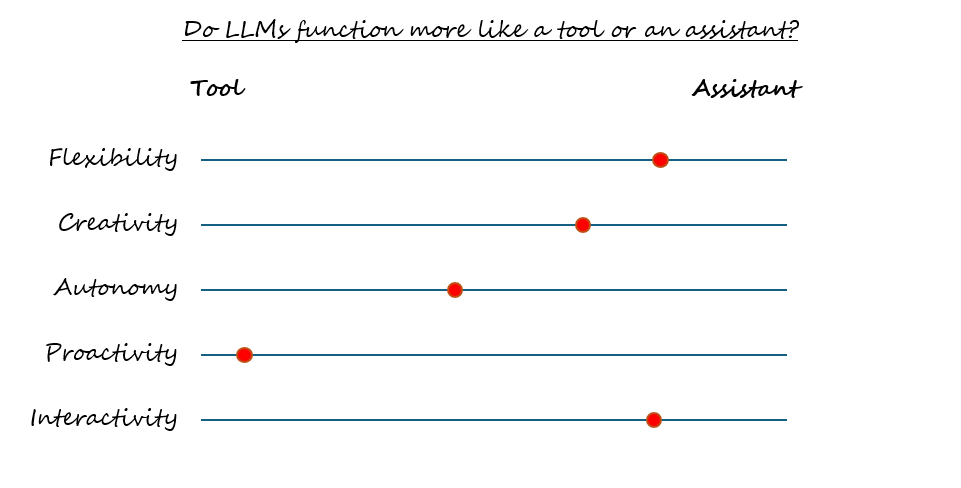
I will be scoring LLMs on 5 metrics that I feel do a good job at differentiating a tool from an agent. This is of course a subjective analysis, so take it with a grain of salt.
Flexibility is the range of applications a system can be applied to. A tool is often used to achieve a specific task or set of tasks, while an assistant is more adaptable to different applications and scenarios. Current LLMs are able to adapt to a wide range of tasks, even with minimal effort from the user. The same model can be used for front-end, back-end, data engineering, data analysis, etc. Additionally, although requiring more effort on the user side, these models can even be extended by techniques such as RAG (Retrieval Augmented Generation) when they require domain specific information. In terms of flexibility, LLMs behave more like an assistant than a tool.
Creativity
Creativity is the potential a system has for adding its own original input and creating something novel. A tool typically executes a task precisely as defined by the user. An assistant has the ability to conceive novel ideas outside of narrowly defined desired outcomes. Creativity of present day AI is a hotly debated topic. It is clear that AI has the ability to produce artifacts, whether it is images, poems or short stories, that did not exist before. In that shallow sense, it is clearly creative. At the same time, these models work as compressors and aggregators of their underlying data, and many argue that a system like that can never produce anything truly creative, but rather just copies existing material. This leads to a philosophical question of what creativity really is. If a human creates art, how much of that is an aggregation of the art they saw during their life, that they were inspired by, the experiences they have had, the circumstance they are in? At what point exactly, and to what extent, did a completely novel, original, idea appear? The determinists out there might see little difference between how a machine and a human come up with new ideas. I personally fall on the side of rating LLMs as quite high in creativity, and thus see them more as assistants than tools on this metric.
Autonomy
Autonomy is the ability of a system to make independent decisions and govern itself without external control or influence. A tool requires a user to be present most if not all of the time. An assistant is more independent and can work on its own for long spans of time. Currently, LLMs are not capable to work independently for a larger amount of time, and require near constant input. This would make them quite low in autonomy. An important point here though, is that that input does not necessarily have to come from a human. LLMs can interact with other systems, or even other LLMs, without human input. This is called agentic AI. While the field of agentic AI has existed for a long time, many see its use in combination with modern generative AI as the next evolution in AI technology. Overhyped or not, it is quite likely that the use of agents will increase the autonomy of AI systems in the near future. Currently, however; LLMs score somewhere in the middle between a tool and an assistant.
Proactivity
Proactivity refers to the ability of a system to be aware of the larger context, identify beneficial actions or strategies and communicate those before being explicitly requested to. A tool is reactive, it is used to achieve a particular effect when that effect is required, while an assistant has an understanding of context and can identify and execute future tasks even before they are requested. As I have highlighted earlier, LLMs are great at being reactive, but rather poor when it comes to proactivity. Not only are they rather poor at looking a few steps ahead, they are often also too agreeable to point out mistakes on the user's side. LLMs can behave in an almost sycophantic manner, prioritising making the user feel good and validated over offering accurate information that might disagree with the user. Having more control over the LLM, such as the ability to alter system prompts, could help here. Rather than prioritising friendliness and agreeableness, you could favour honesty and accuracy.
Interactivity
Interactivity refers to the nature of engagement between the user and the system. Interactions with a tool are static and predefined. Interactions with an assistant are dynamic; they have the ability to ask clarifying questions and adapt to the user. It could easily be argued that the increase in interactivity was the factor that led to the explosion of LLM usage in the wider world. The model underlying ChatGPT, namely GPT-3, already existed for 2 years prior to ChatGPT's release, and the architecture underlying that model, the transformer, goes another 3 years further back than that. It was RLHF (Reinforcement Learning on Human Feedback), meant to improve how the model interacted with human users, and the easy to use chat interface, that truly introduced LLMs to the wider world and revolutionised how the average human looked at this technology. With the advent of multi-modal AI, allowing users to directly interact with their AI in live voice conversation, we can expect interactivity to increase even more in the near future.
S.T.A.R.: Subjective scoring on whether an LLM functions more like a tool or an assistant
Final Thoughts
Within a few hours, I was able to create a functioning website from scratch, with no prior experience. Feel free to look around the website and judge for yourself, you are here now anyway. While the website is by no means flawless, there is no way around it: the barrier to entry for any person to create software now is much lower than it has ever been. However, this lower barrier does bring some dangers with it. More than ever, it is important to be aware of unknown unknowns, and the limitations of AI. LLMs will blindly follow you in the wrong direction, if you direct them that way. They are not proactive and often fail to point out obviously wrong approaches.
Additionally, I would be remiss if I did not mention fairness and security at all. While not the topic of this post, and deserving of a whole post each by themselves, I feel obligated to briefly acknowledge them here. While AI can be an incredibly powerful catalyst, it remains your responsibility to ensure that the final product is safe, secure, and fair.
So go on, have fun and create cool things! But realise your own limitations and those of the technology you are using. It is a great idea to reach out to an experienced human for feedback from time to time. I am incredibly excited to see how this technology will continue to develop, and what great things humanity will achieve with it.
Thank you for reading. If you have any questions or want to discuss, feel free to contact me on LinkedIn.
PS. Even this post itself was created by writing the entire content in a text document, then copying that as a prompt and letting an LLM create the page and fill in all the content!